Lanterns & LuminariesNo. 5872 · The 2026 edition
Halloween Luminaries
Create spooky haunted mansion luminaries with your Cricut Joy and glass jars.
Our own summary of the original by Camille — the full post and photos live at growingupgabel.com.

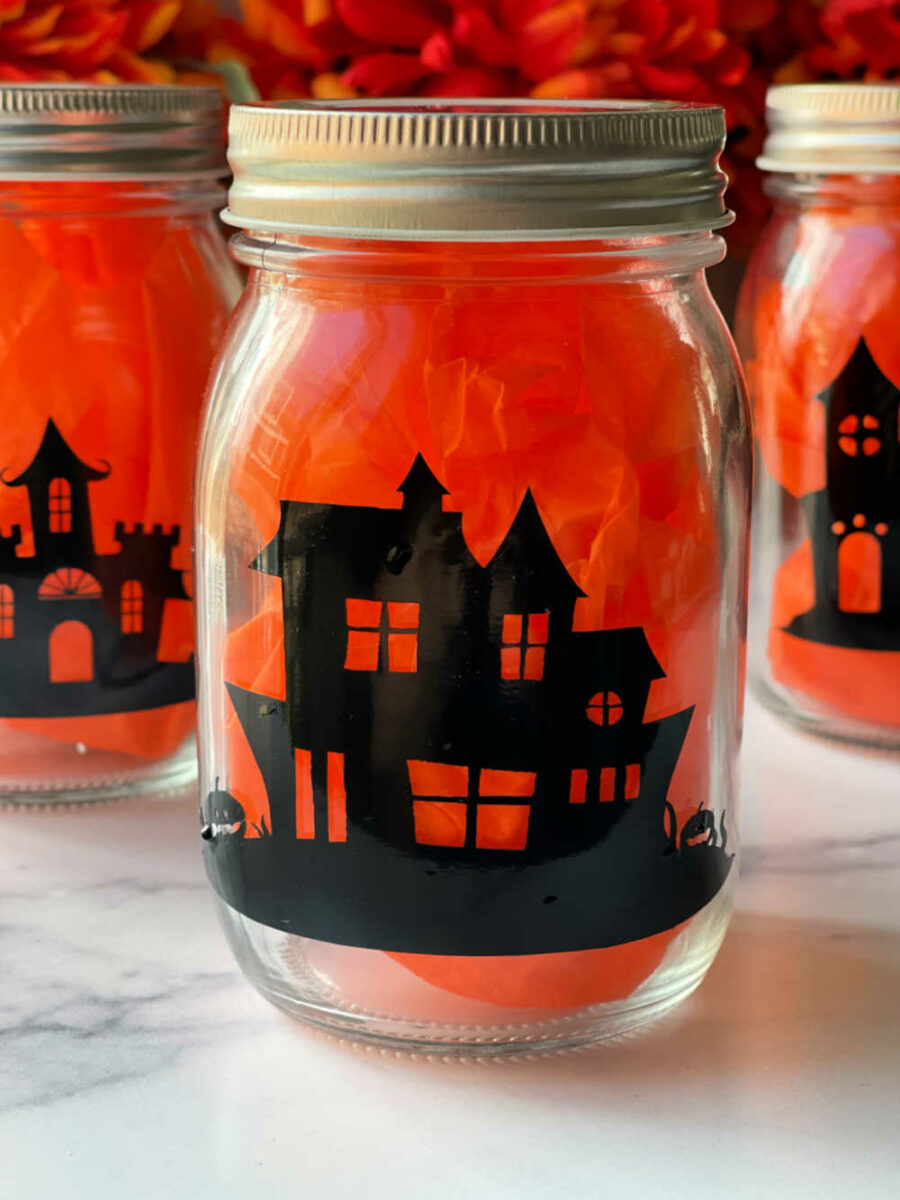
These Halloween luminaries are made by cutting haunted mansion SVGs from black Smart Vinyl using a Cricut Joy, then transferring the designs onto glass jars. Finish by adding tissue paper and a battery-operated candle for a glowing effect.
You'll need
Directions
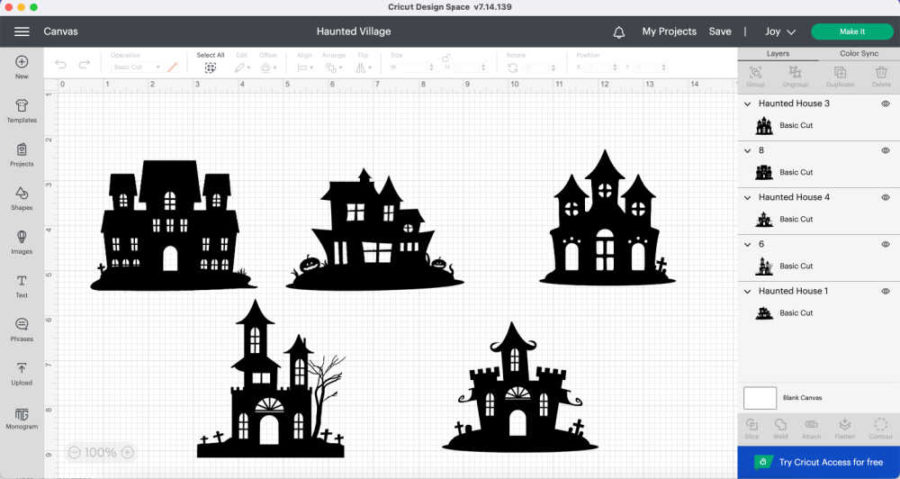
- Open Design Space and upload the Halloween Luminaries SVG file.
- Click 'Make It' to cut the houses right away, or select 'Customize' if you want to modify the design first.
- When you're ready to cut, click 'Make It' again.
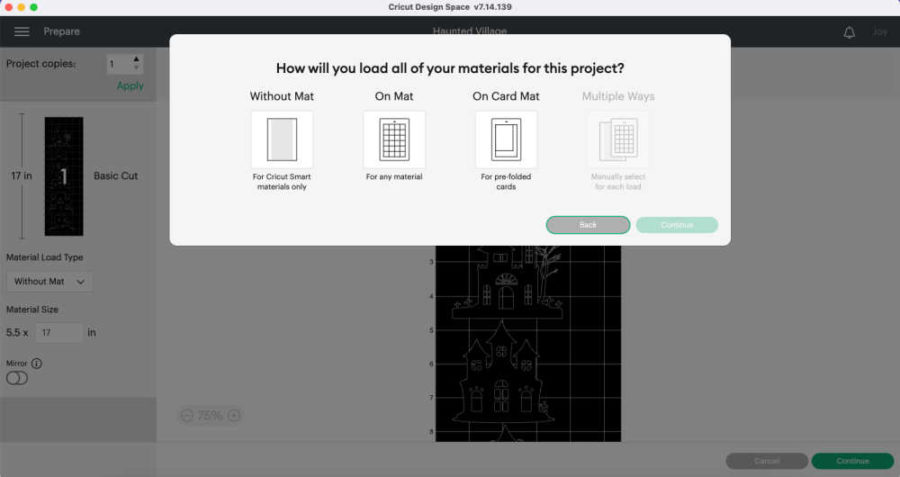
- On the next screen, choose the 'Without Mat' option.
- Cut the Smart Vinyl to the length shown in Design Space.
- Turn on your Cricut Joy and click 'Continue' at the bottom right.
- Design Space will connect to your machine automatically.
- Select 'Smart Vinyl Permanent' as the material.
- When prompted, load the vinyl into the Joy and press the GO button.
- Once cutting is done, unload the design and weed away the excess vinyl.
- Place transfer tape over the weeded design.
- Cut small slits through both the transfer tape and the backing.
- Peel the house design off the white backing so it sticks to the transfer tape.
- Apply the house to the jar starting from the middle, then slowly work outward, smoothing out air bubbles and folds as you remove the transfer tape.
- Optionally, add tissue paper and a battery-operated candle inside the jar.
More photos
Photos hosted by growingupgabel.com.